A free, open-source desktop app
Mandarin Learning Reader
Open any Chinese e-book. Each line appears with pinyin over every character, is read aloud in a neural Mandarin voice, and then the app listens to you say it back and grades every character, offline.
學生
Pinyin from pypinyin, set over each character as the app does it.
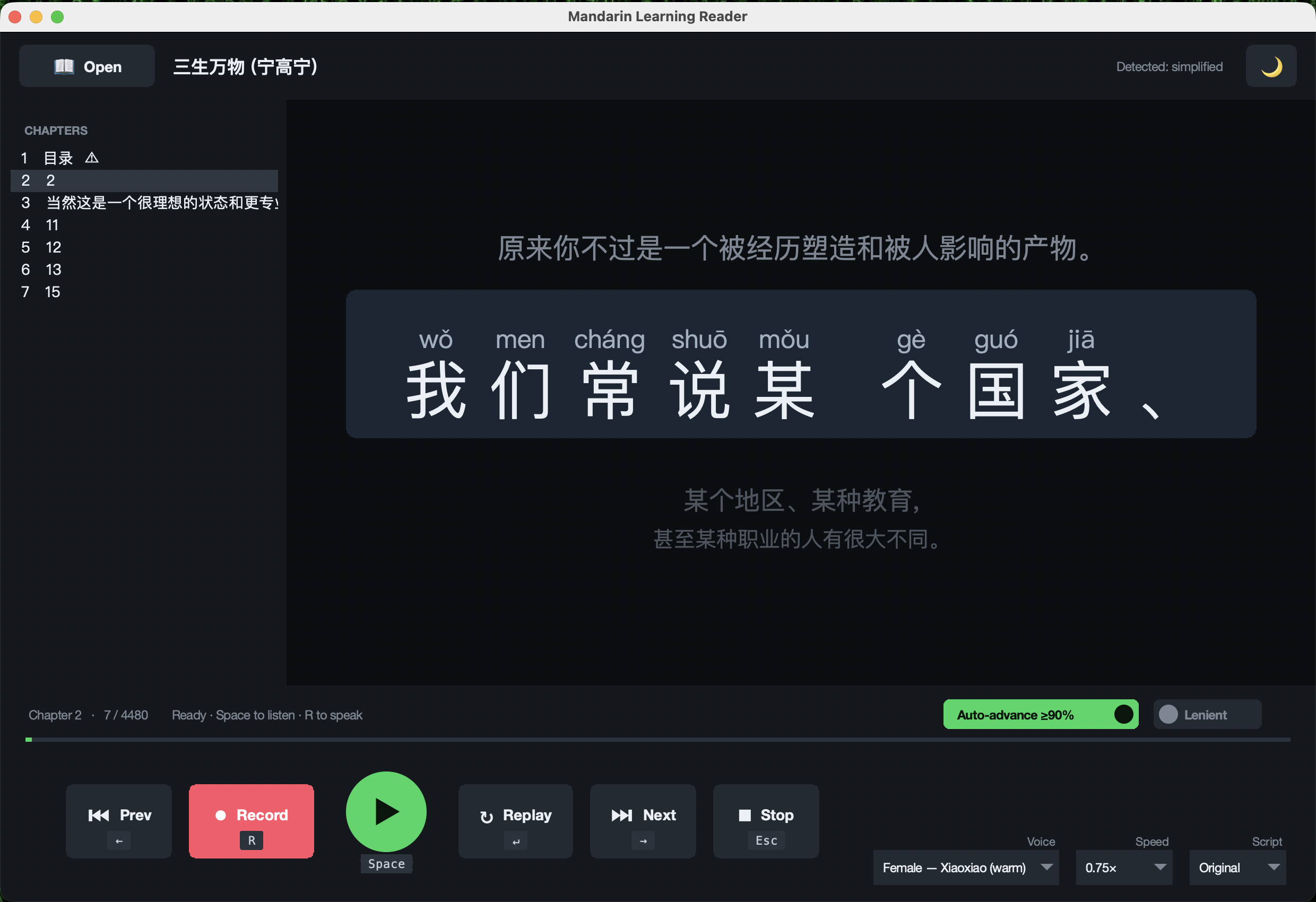
docs/. Voice, speed and script menus sit at the bottom right.A session
- Open a Chinese EPUB. The app lists the chapters, flags cover and contents pages, and splits the text into short, speakable lines.
- Read along. The current line is large, with tone-marked pinyin above every character.
- Listen. One of six edge-tts voices, Mainland or Taiwan, at speeds from 0.5× to 1.5×.
- Speak it back. Whisper transcribes you on your own computer, and each character is marked right or missed.
- Move on. At 90% or higher the app advances to the next line by itself.
The grader, from the command line
$ python3 mandarin_learner.py --grade "我是學生" "我是學森"
original : 我是學生
heard    : 我是學森
marks    : ✓✓✓✗
accuracy : 75%   auto_advance=False
Run 2026-10-26. The grader aligns what Whisper heard against the original with difflib, after converting both to Simplified, so 學 and 学 count as the same character. Lenient mode also accepts a substituted character with the same pinyin.
Keyboard
| Key | Action |
|---|---|
| Space | Read the current line aloud |
| R | Record; press again to stop and be graded |
| Enter | Replay the line |
| ← → | Previous or next line |
| Esc | Stop playing or recording |
Why I built it
I'm a Cantonese speaker learning Mandarin. I read Traditional characters comfortably and wanted to get faster at Simplified by practicing on whole books. The Script menu converts a whole book between the two with OpenCC.
Your books, your machine. The app ships no books: bring EPUBs you own or public-domain titles. Speech recognition runs on your computer after a one-time model download, and microphone audio is never uploaded. Only the text of each new line goes online, to Microsoft's edge-tts service, to fetch its audio.